Operations cockpit
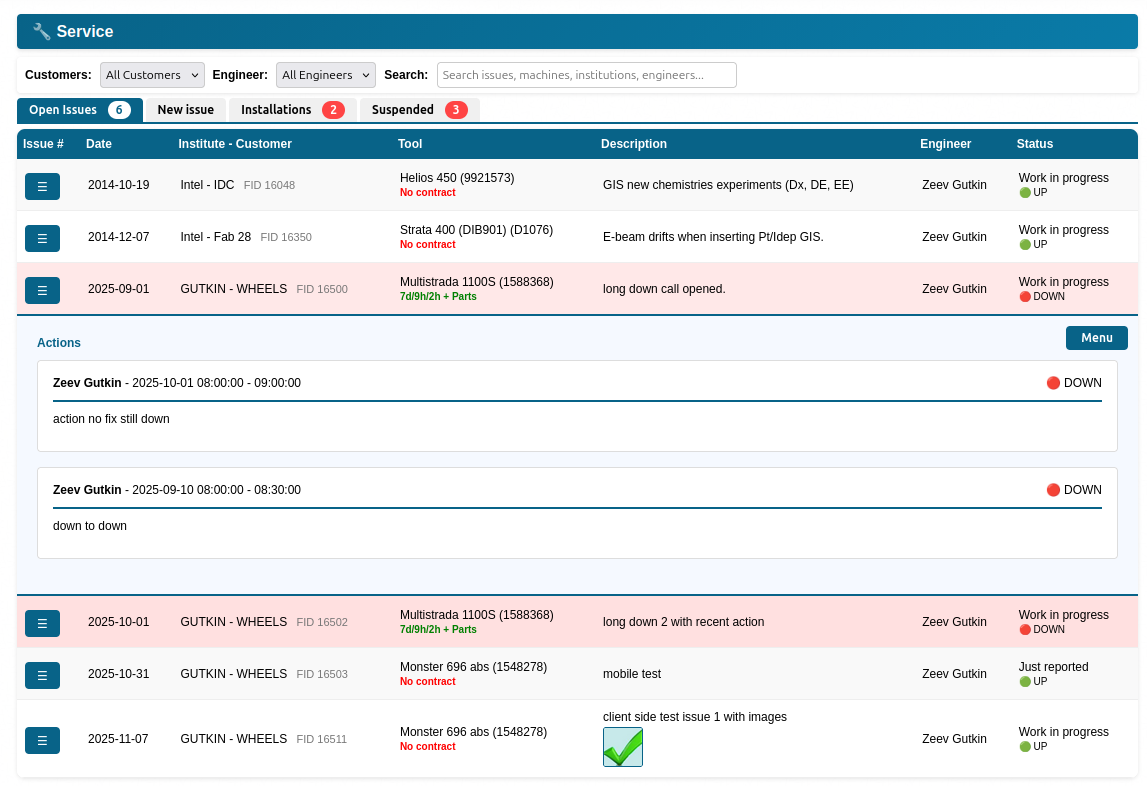
Run day‑to‑day service from one screen: open issues, batch work, quick edits, and a clear separation between active calls and archives.
Live issue orchestration
Track issues by customer and status, create new issues, and manage follow‑ups with consistent workflows.
Client-side caching Role-aware menusArchives
Past issues, parts history, and statistics in one place. Use archives for audit, troubleshooting history, and trend review.
Past issues Parts & statsMulti-tab administration
Configure users, statuses, types, locations, messaging and more. Admin tools are organized as focused tabs for fast maintenance.
Supplier permissions Message usersField execution & mobility
Keep technicians productive on mobile: open faults, rapid issue creation, and identity flows designed for real field conditions.
Mobile open-faults board
Small‑screen navigation, action sheets, and quick ToDo entry for fast updates without a laptop.
Guided issue reporting
Guided forms for consistent capture: customer/tool context, description, and fast submission with fewer mistakes.
SMS-first identity
Forgot password toggles, digit-matching verification, and GlobalSMS integration with sender whitelisting to keep resets secure.
GlobalSMS Two-channel resetContract & service reports
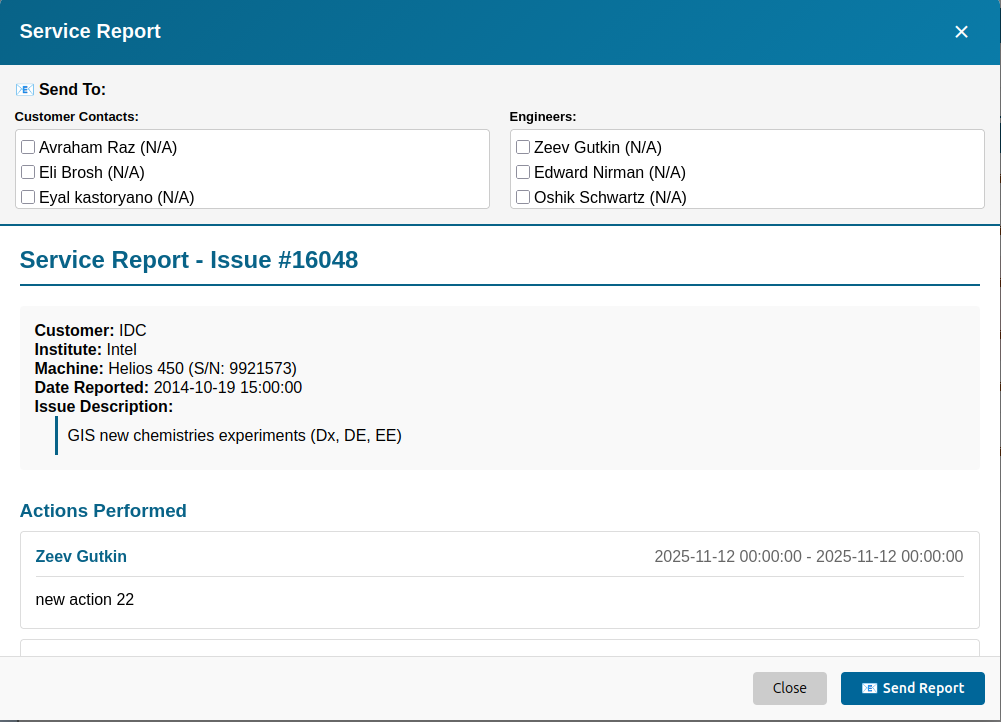
Readable service reports with print/export controls and clear status indicators for customer communication.
Supplier & inventory collaboration
Coordinate vendors and subcontractors with structured data: suppliers, branches, contacts, departments, and OSAT workflows.
Supplier portal
Maintain suppliers, branches and contacts with fast search and department assignment.
Generic type intelligence
Manage generic types and structured catalogs that support consistent reporting and supplier coordination.
Customer Portal
Give customers their own login to submit requests, track calls, and view dashboards—with your company branding.
New Request
Customers create service issues from the portal. Optional machine selection and category for faster routing.
Call in process
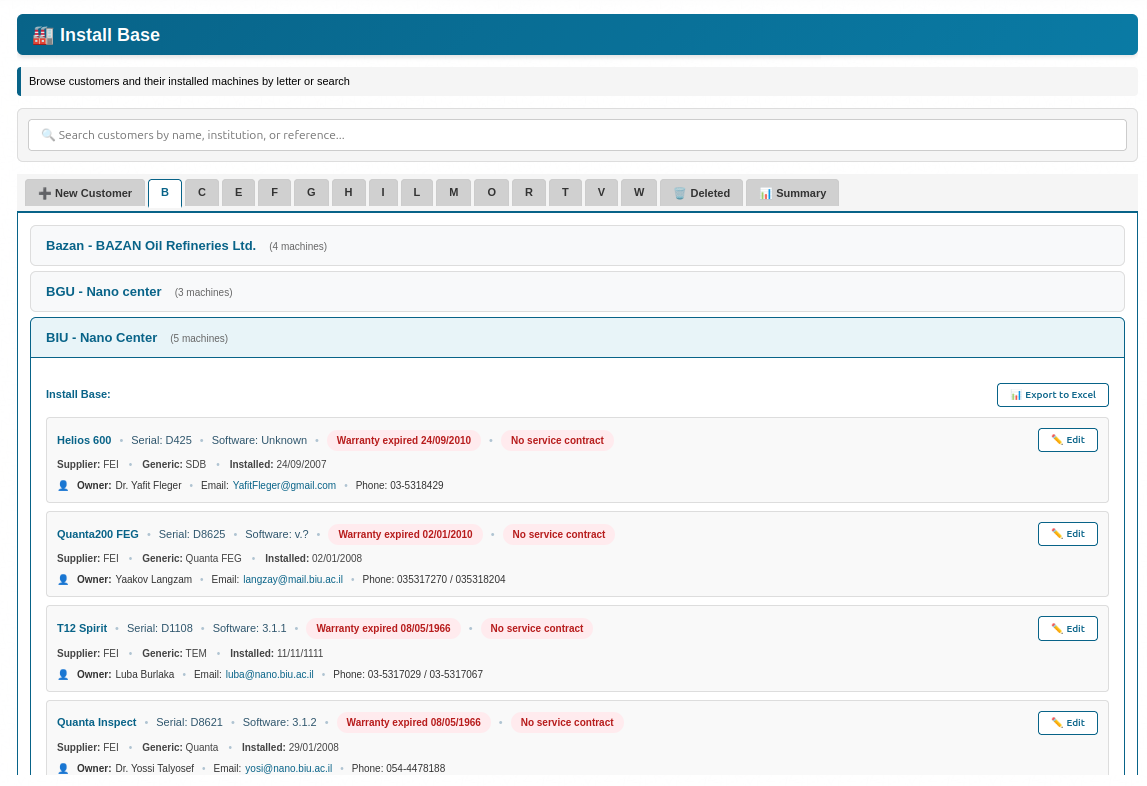
View install base and open calls. Drill into machine details and open a new request from the same screen.
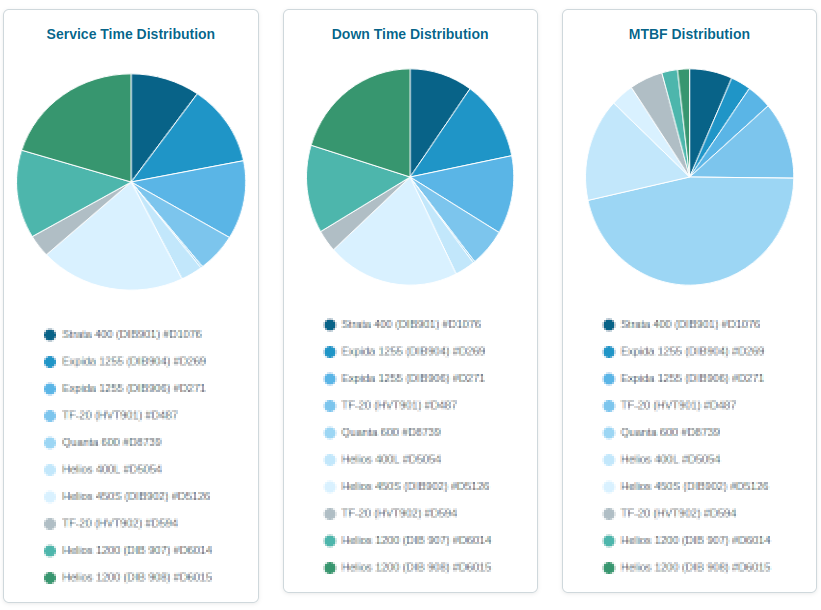
Dashboard
Statistics and Chart.js charts for visibility. Branded with your logo and org name.
Sales & reporting
Operational reporting and sales tracking—without losing the thread between install base, issues, suppliers, and customers.
Sales opportunities
Create opportunities, assign owners, and track actions and progress in a simple workflow.
Search & reports
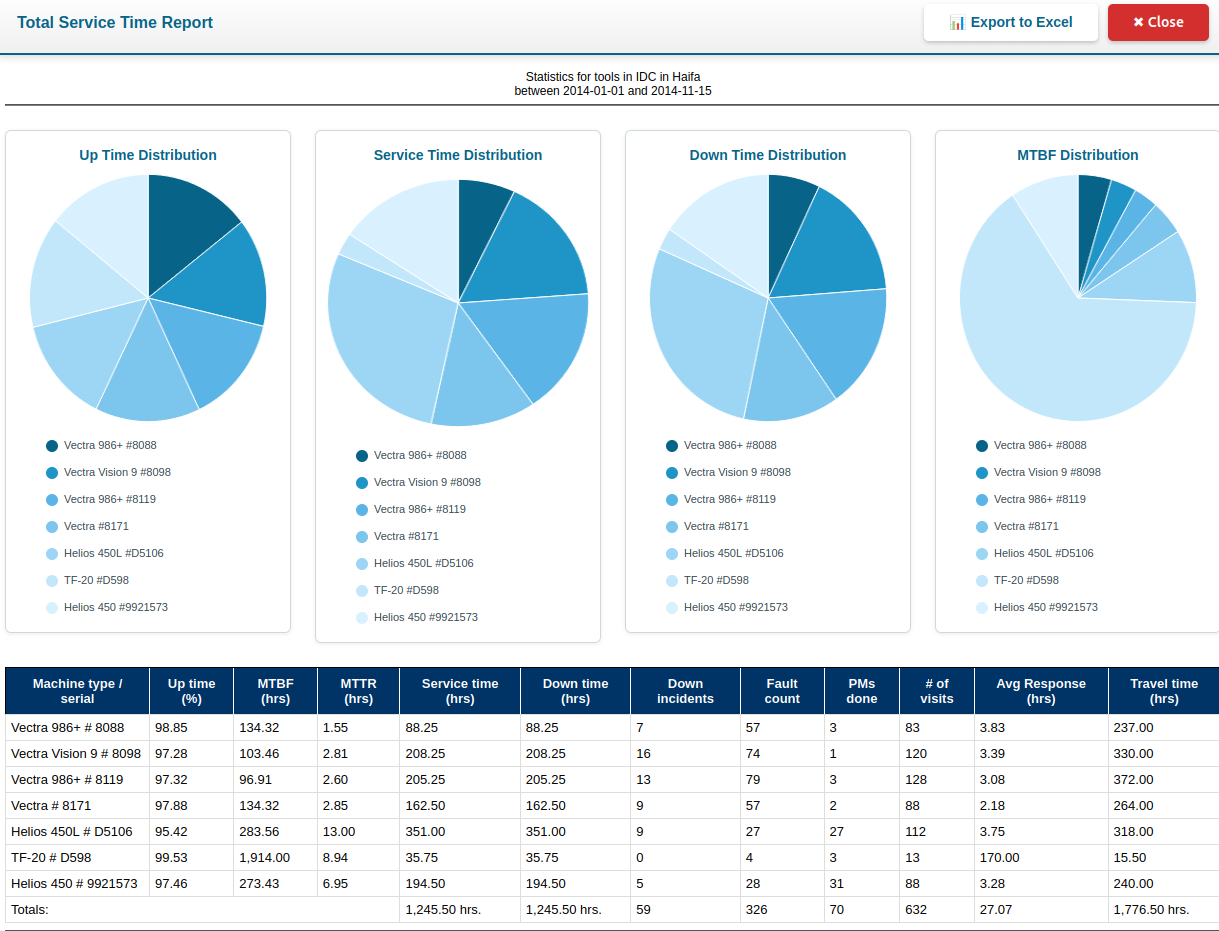
Filter by customer, project, serial, owner, supplier, status, location, device type, PO and more. Charts and Excel export.
Compliance automation
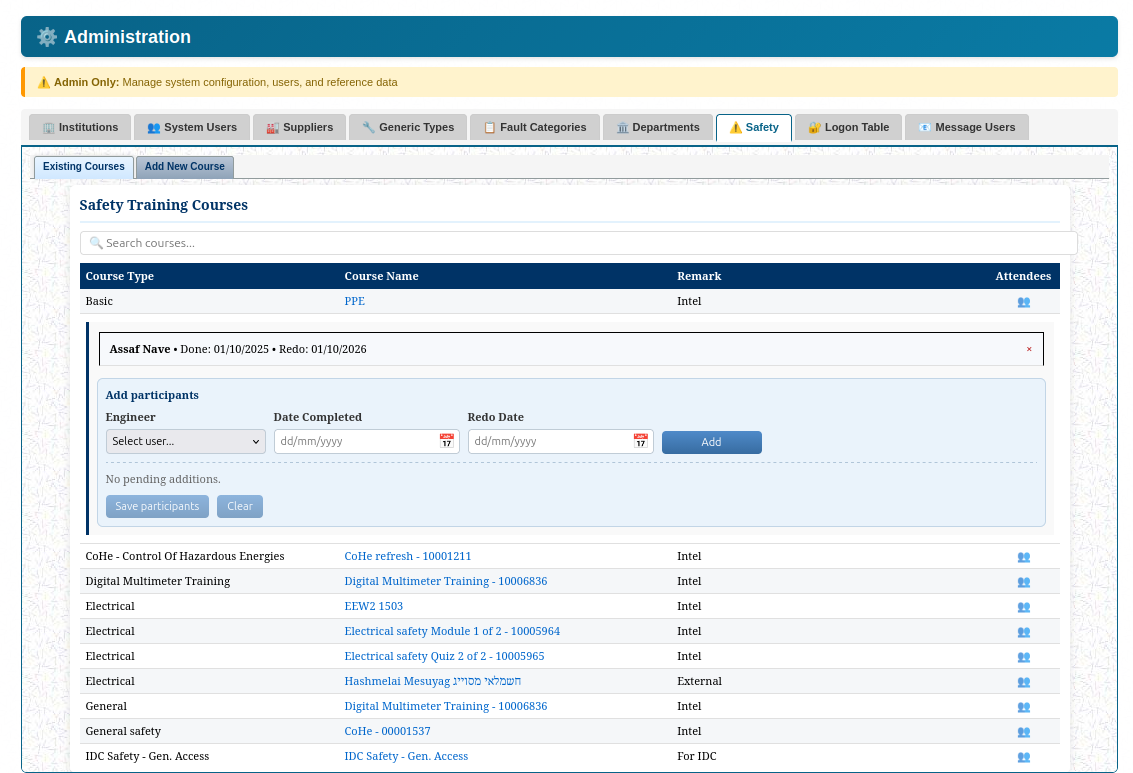
Track safety training with practical defaults: course catalog, participants, redo dates, and admin tools that are fast to maintain.
Safety dashboards
Maintain courses and participants with simple screens and immediate updates.
Audit-ready records
Consistent records for training and operational flows, supporting internal reviews and external audits.
Product tour
Key screens from the platform. Replace placeholders by uploading your real screenshots and keeping the filenames.
Contact
Tell us what you manage (fleet size, sites, workflows) and we’ll show a focused BTS by SAS walkthrough.
This form opens your email client (front-end only). If you prefer, email us directly at info@bts.sas-tech.com.